Updates and versions
A release build checks ten seconds after a launch and then every hour, so a window that is never closed still learns of a release within the hour. Everything downloaded is signature checked before it is installed.
How a new version arrives
A new version gets ready by itself. On macOS it is downloaded, checked and installed in the background while you keep working; on Windows it is downloaded and checked, and the installing itself takes the few seconds of the restart, because Windows cannot replace a program that is running. While that happens the status bar says "UPDATE v0.4 · GETTING READY".
The window and the button
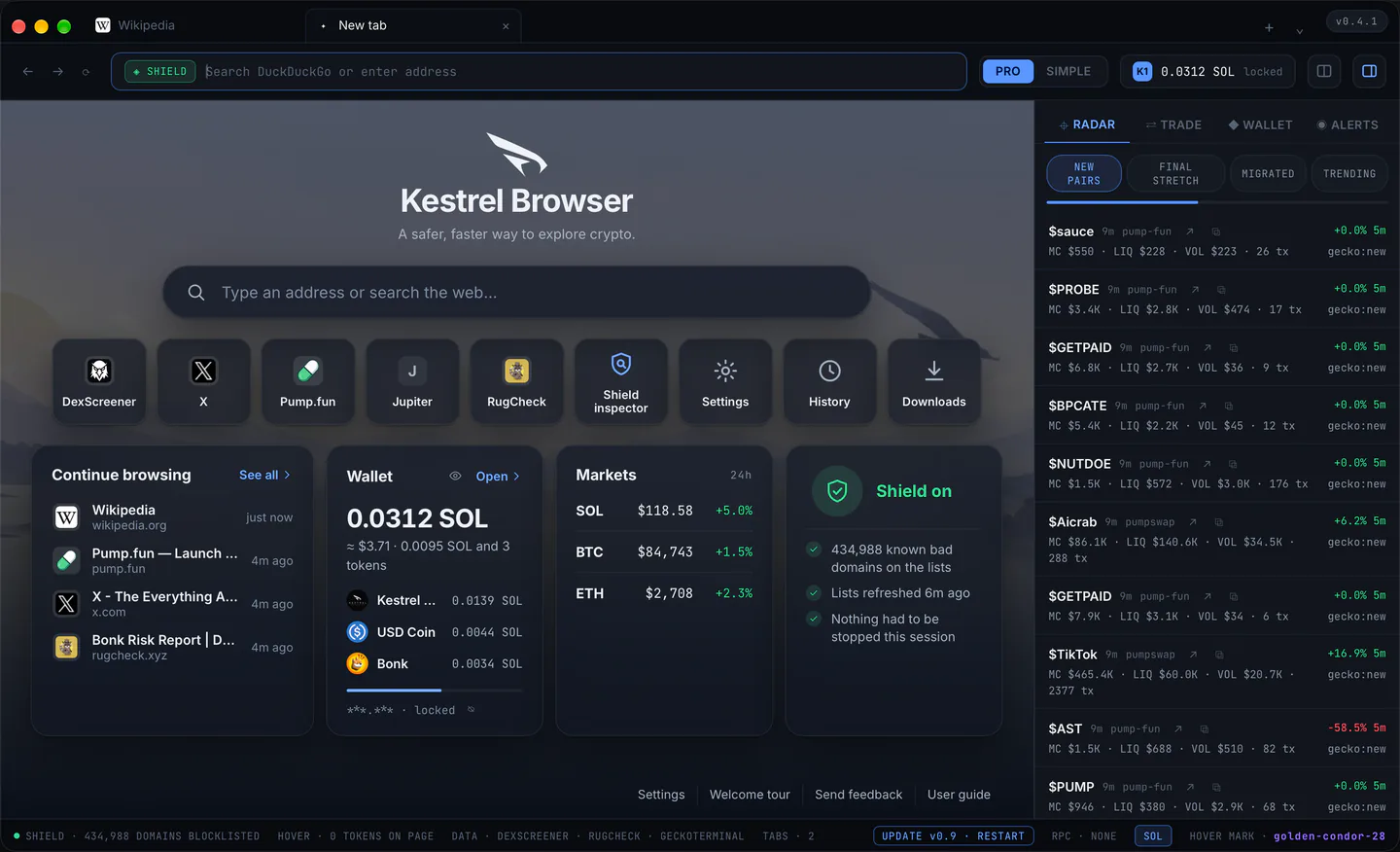
Then a window of the system's own says once, in one sentence, that a new version is installed on this computer and a restart updates (the release note stays on the release page and in the email; the founder's wish, 2026-09-22), with "Restart now" and "Later".
- Restart now closes Kestrel Browser and opens it updated.
- Later keeps an "UPDATE v0.4 · RESTART" button in the status bar (in the toolbar when the status bar is turned off), which brings the same window back, and the window does not return by itself for that version until the next launch.
On macOS a quit and a fresh start do the same as the button.
When automatic updates are off
Settings > Updates and about > "Update automatically" turns all of it off: nothing is checked until you press "Check now" or the menu's "Check for Updates", and a new version is then offered the older way, "Install now" or "Skip for now", one answer installing and restarting.
The same older offer appears when Kestrel Browser sits in a folder it may not change by itself (the Applications folder under a standard account): installing then needs your password, so it waits for your click.
Checking by hand
The menu's "Check for Updates" and "Check now" always answer, with the window, the offer or a line saying this build is up to date.
Where the version shows
The version shows in the title bar chip (v0.4), in Settings > "This build" with the system details and the install id, and at the top of the report page. Versions people see have one dot until 1.0.
This guide
This guide lives at kestrelbrowser.com/docs and says at the top which version it was checked against; the menu's User Guide, the start page's User guide and Settings > Updates and about open it in a tab (in the version after v0.4.1).