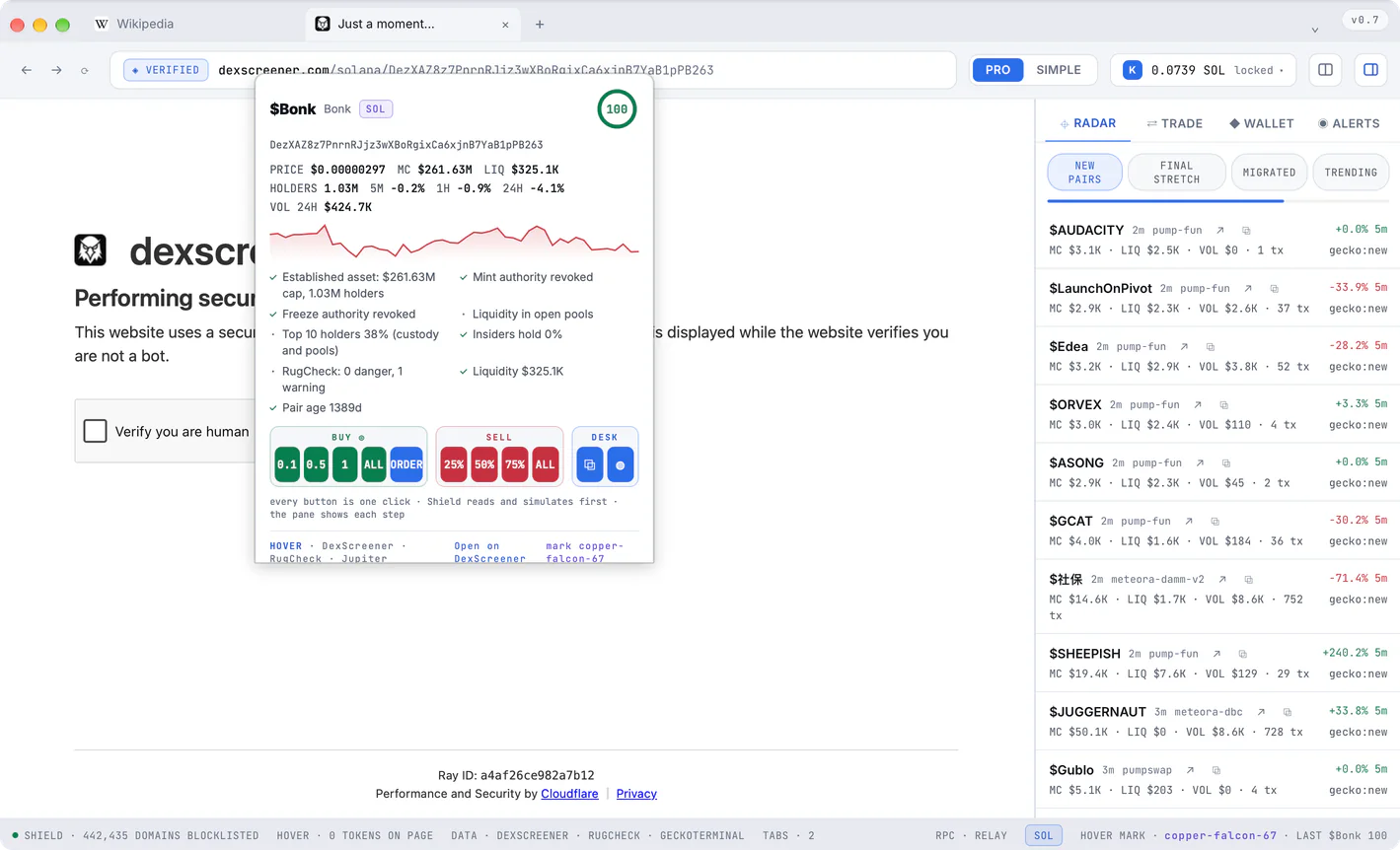
Hover
Checked where you read it
Rest your pointer on any token address and its price, liquidity and safety open right there.
The crypto browser for Windows and Mac. Every token checked where you read it, drainer sites stopped before they load, every transaction shown to you before you sign.
Free · v0.7 · for Windows and Mac
Already flying with it? It updates itself.
Hover
Rest your pointer on any token address and its price, liquidity and safety open right there.
Shield
Known drainer and phishing sites never reach your screen.
Simulation
Every transaction is simulated on mainnet and explained in plain words first.
Wallet
Created and encrypted on your computer. Never on our servers.
Hover
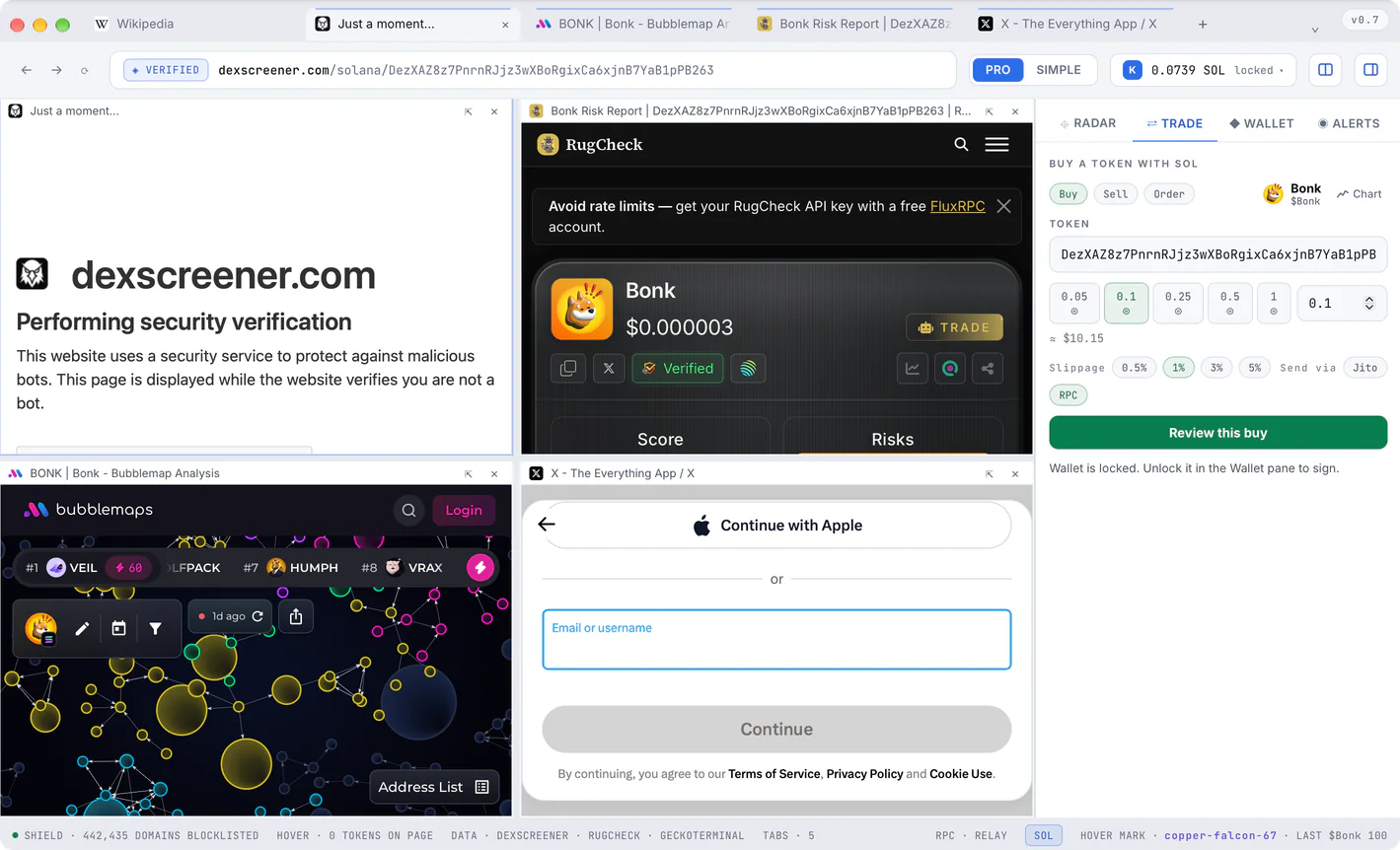
Kestrel Browser reads the page with you. On X, Telegram, Discord, DexScreener and pump.fun a token address gets a faint blue line. Rest your pointer on it and the Hover card opens right there: price, liquidity, holders, every safety check and a score from 0 to 100.
Has anyone looked at this one yet?
Rest your pointer on the address.Tap the address.
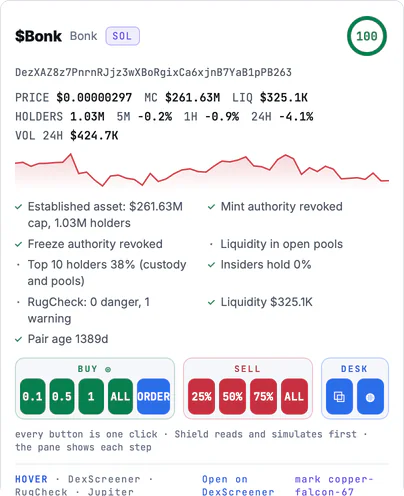
On a token's page the chip beside the address carries its score, and a pasted address opens its card from the bar.
When a post carries X's own $TICKER card, the card and the tag open the Hover card, and so does X's token page.
One press on the card opens the token's Bubblemap beside the page: the wallets that move together, joined.
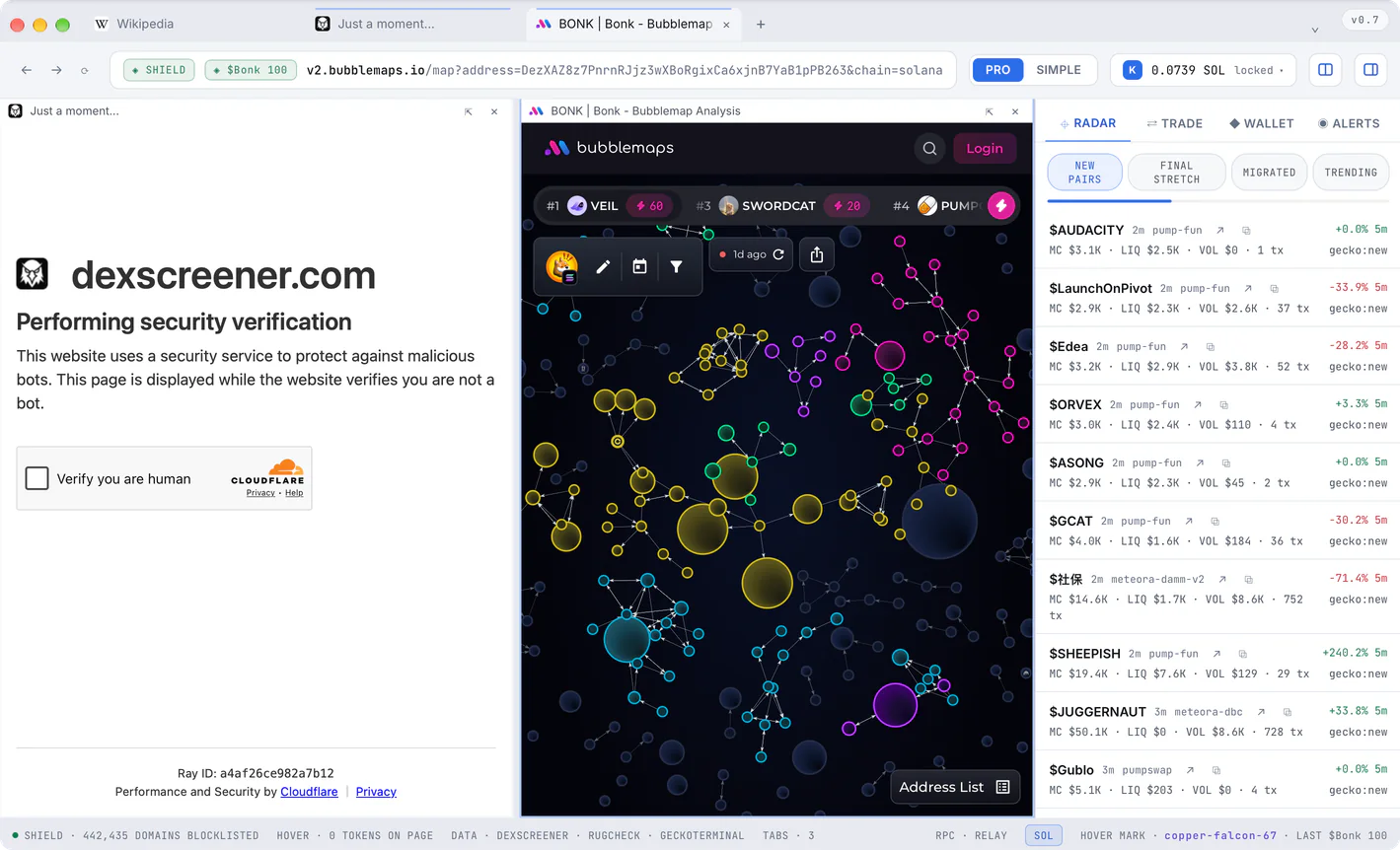
The chart, the safety report, the holders and the talk on X side by side, with Trade ready in the rail.
Shield
Shield checks every page before it opens against the community's lists of drainer and phishing sites, about 430,000 of them, refreshed every six hours. A blocked page never renders: nothing from it reaches your browser, and nothing is signed.
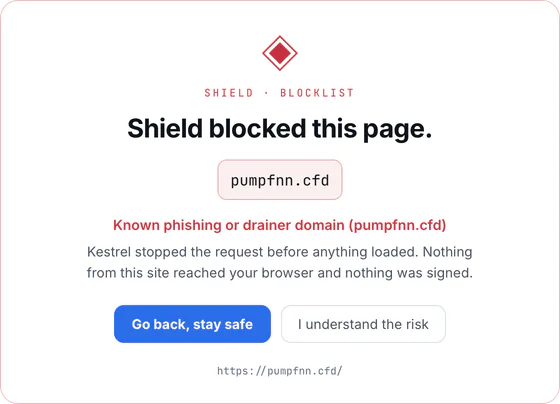
Someone sends you a link to a claim page.
Whatever you are about to sign is decoded, read against the drainer rules and simulated on mainnet with the exact bytes that would be signed. You see what it does, line by line, before the button.
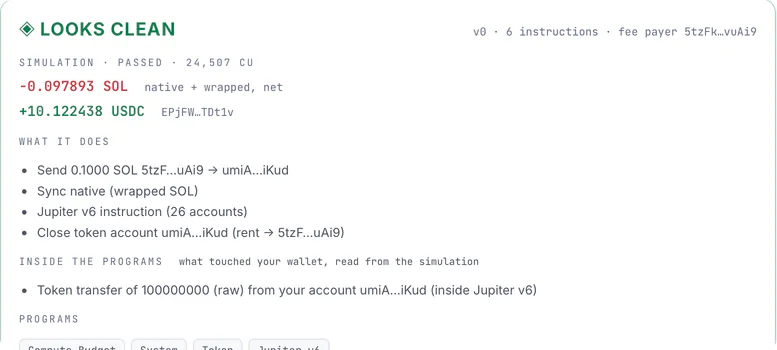
A name one letter away from Phantom or Jupiter, or a brand's name tucked inside another domain, is flagged even before any list has it.
A failed simulation, a transaction nobody quoted, more leaving your wallet than the quote said: Kestrel Browser refuses to sign it, and says why.
A window of your own operating system, one no page can press, asks before every send and every large swap.
Wallet
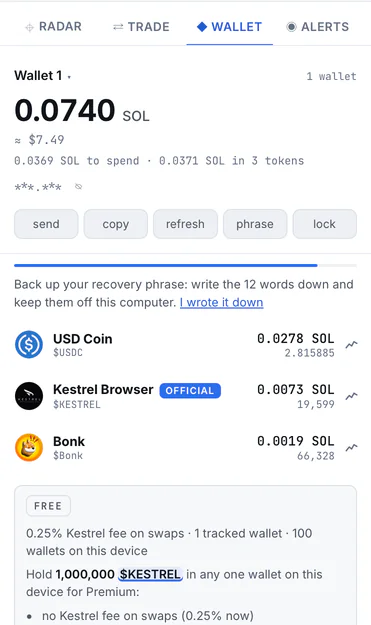
Create a wallet or bring the one you have. It is encrypted with your password and kept on this computer only; no server of ours ever sees a key, a phrase or a password.
Trading
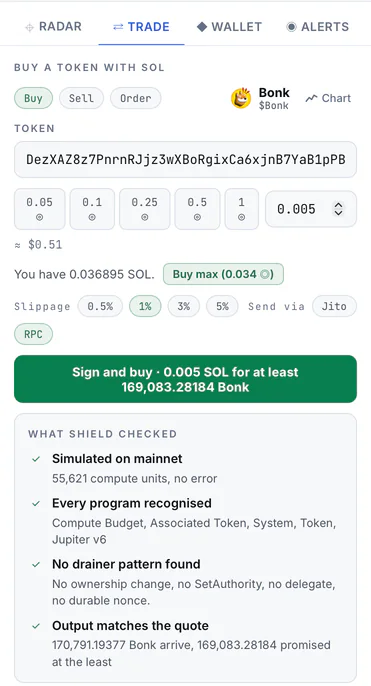
Trade from the Hover card or from the Trade pane. Kestrel Browser routes the swap through Jupiter, simulates it on mainnet, shows you exactly what leaves and what arrives, and signs it on your computer.
Radar and alerts
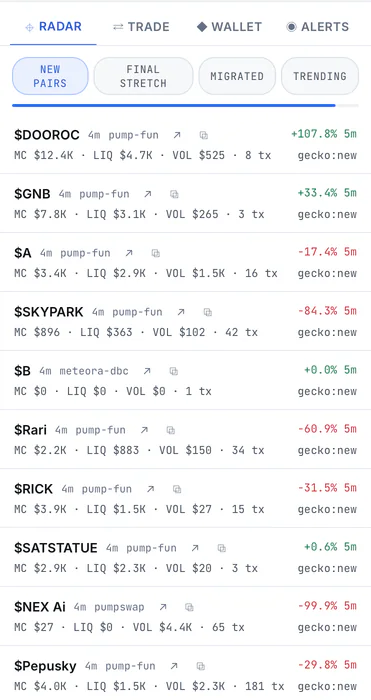
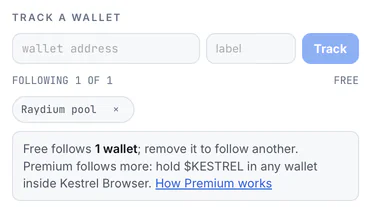
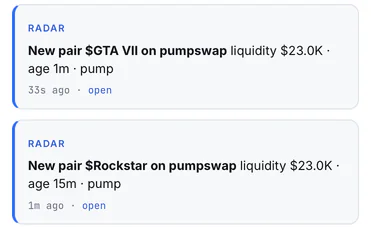
Radar watches Solana beside the page you are reading: new pairs, the final stretch before a pump.fun coin graduates, the coins that just migrated, and what is trending. Alerts tell you when a wallet you follow moves.
Make it yours
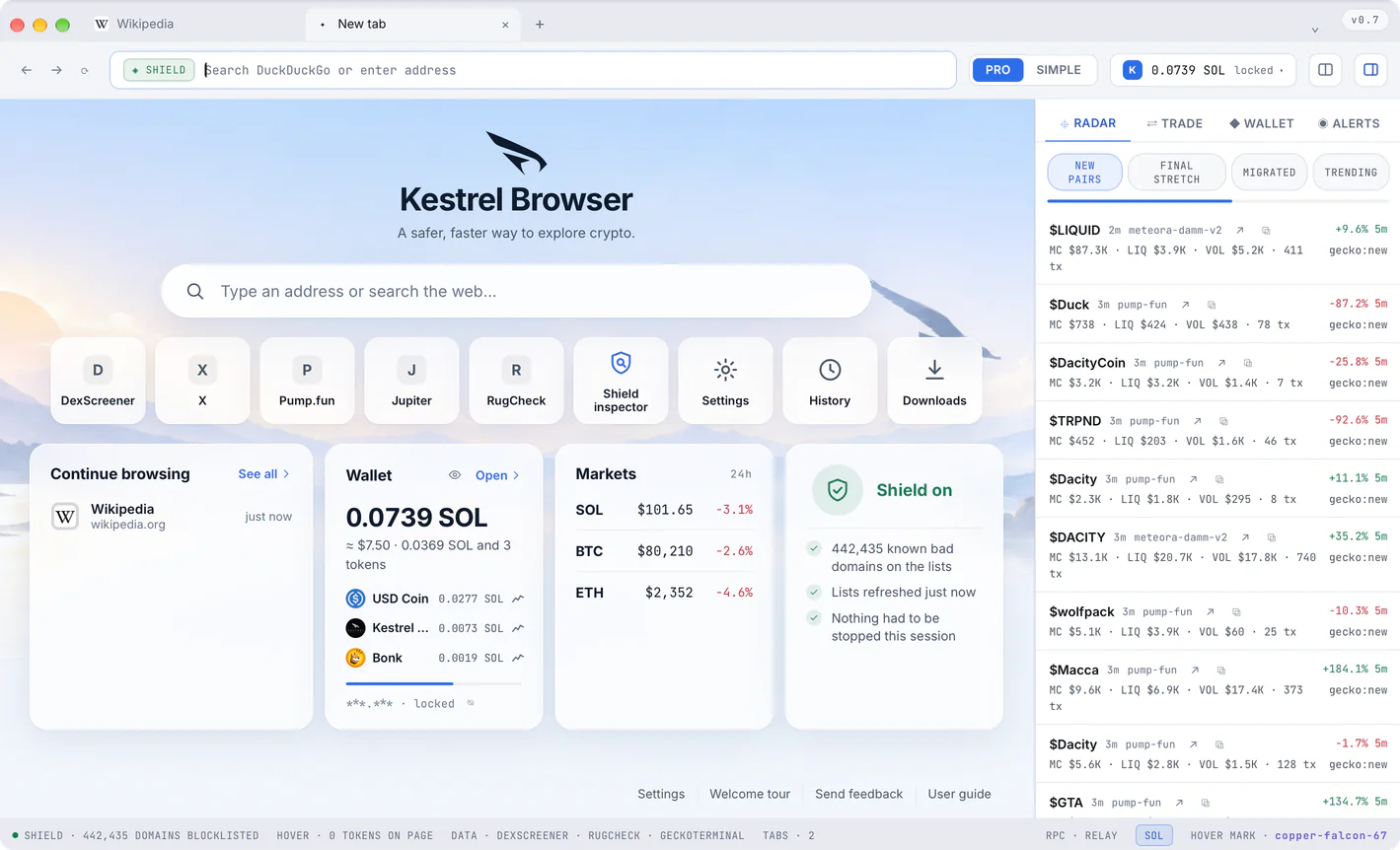
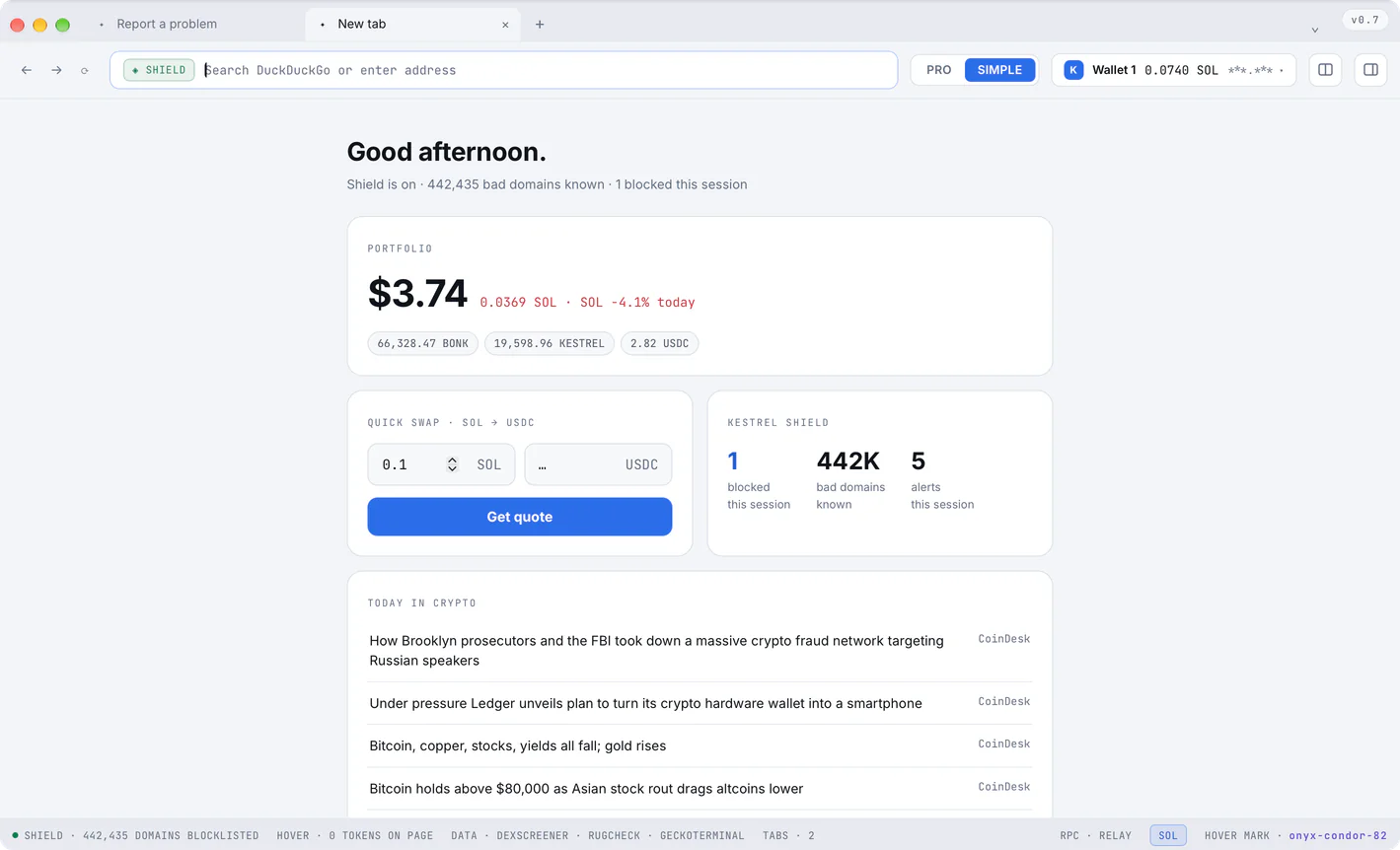
The whole browser, and every site that offers both looks, follows one switch. Slide to see the same start page in both.
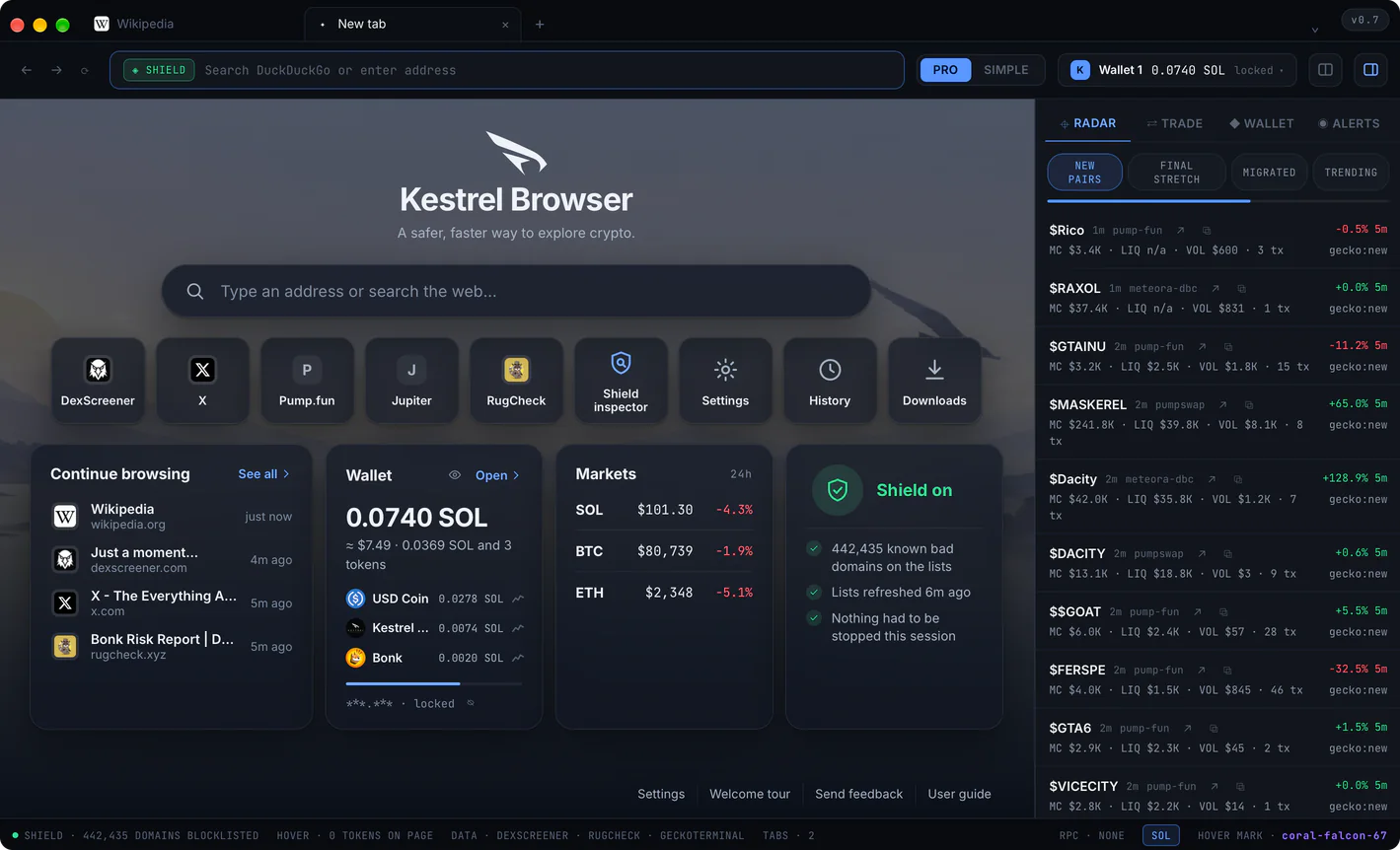
SIMPLE turns the cockpit into a quiet home: your portfolio, a quick swap and the day's headlines. Shield keeps watching.
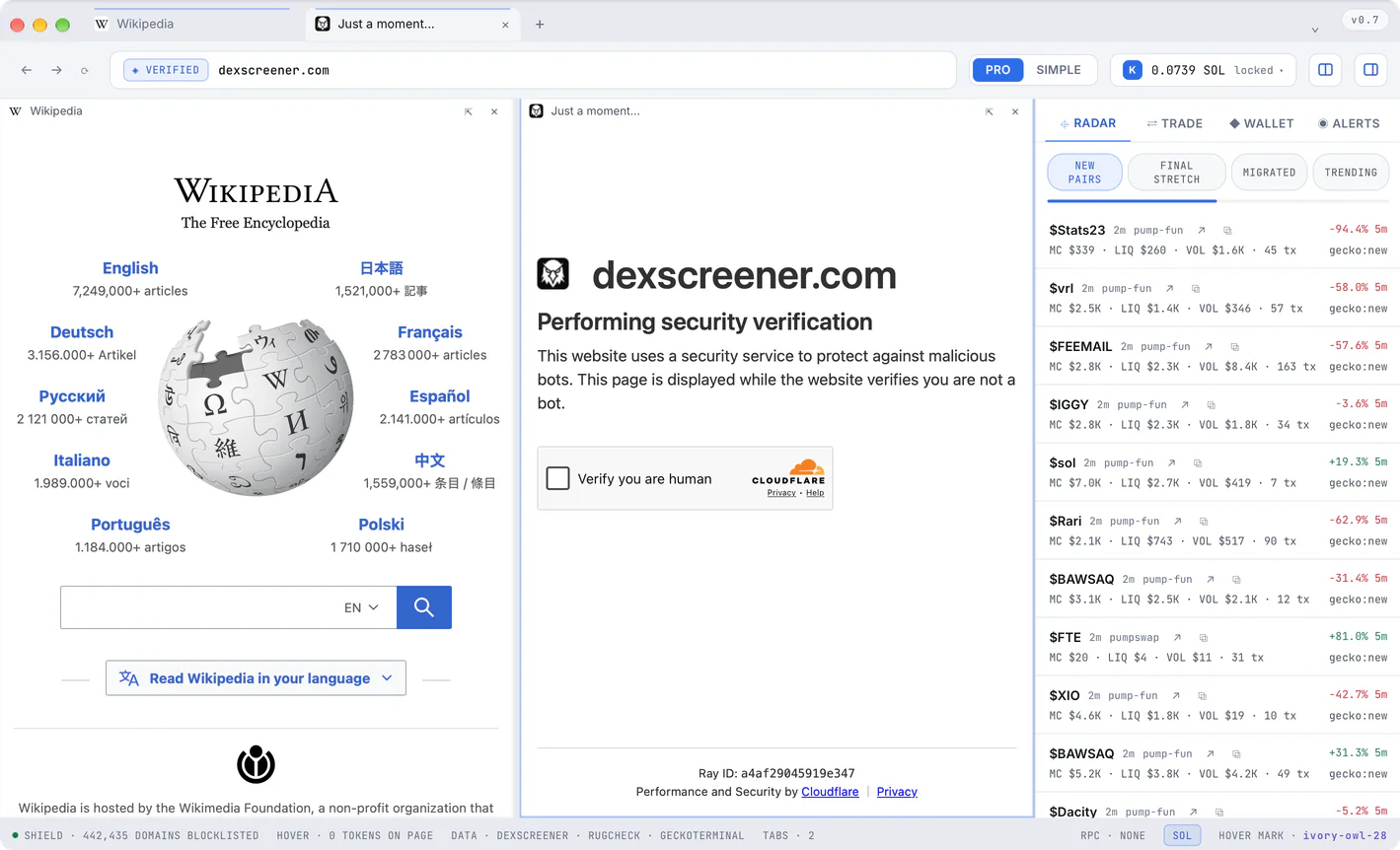
Up to five pages in one window, and the layouts you like saved for later.
Your history, open tabs and searches as you type, a calculator, and a pasted token address that opens its card.

Getting started
Made to be trusted
What Kestrel Browser does is written down, signed and checkable, down to the last setting.
Reads, routes and runs with
 Solana
 Jupiter
 Jito
Jito Helius
 DexScreener
 pump.fun
 RugCheck
 Bubblemaps
 Tauri
Tauri Rust
RustQuestions
Yes. Downloading it and using every part of it is free, Shield and every safety check included. A swap you make inside it carries a Kestrel fee of 0.25 percent on Free and none on Premium, shown as its own line before you sign.
Macs with Apple silicon (M1 or later) on macOS 12 or later, and Windows 10 and 11, 64-bit. On Windows it installs for your own account, no administrator password needed.
Every download and its checksumOn your computer and nowhere else. The wallet is created on your device, encrypted with your password and stored in your profile. No server of ours ever sees a key, a recovery phrase or a password.
Yes, while Kestrel Browser stays open. An order is a buy or a sell you set now at a market cap or a price, with a take profit, a stop or a trailing stop if you like. You approve it once, in your system's window, and Kestrel Browser fills it by itself when the market gets there: every fill read by Shield and simulated first, signed on your computer with your own key, no vault and no server. If the app was not watching for longer than your away limit, the order waits for your look before it does anything. Free keeps one open order, Premium twenty.
Orders in the user guideYes. Import its 12 or 24 word recovery phrase. Kestrel Browser derives the wallet the way Phantom and Solflare do, so the same phrase opens the same wallet.
Pages on the community's lists of drainer and phishing sites (Scam Sniffer, MetaMask and Phantom, about 430,000 domains), refused before they load. Look-alikes of the brands you use are flagged, and every transaction is simulated before you sign it; one that fails, or that would take more than it said, is refused.
Shield in the user guideNo. Everything that keeps you safe is the same for everyone and always will be. Holding 1,000,000 $KESTREL in the wallet inside Kestrel Browser turns on Premium: no Kestrel fee on swaps, and 25 wallets your alerts follow instead of one.
$KESTREL, in the openBy itself. It looks for a new version every hour, gets it ready in the background and asks for one restart. Every update is signature checked before it is installed.
What's newVery little. Your keys, history and settings stay on your computer. If you leave them on, the app sends anonymous counts (the version, the system, how many tabs, blocks and swaps) and a short report when it freezes or fails; never an address, a balance, a page or anything you typed. One switch in Settings turns them off.
PrivacyFree for Windows and Mac · v0.7 · every file and its checksum
New releases and what changed in them, in your inbox and nowhere else.