Download Kestrel Browser.
Kestrel Browser v0.4.1 for Windows and for Mac. Every file is listed here with its SHA-256 checksum, and this page is the only place to install from.
The macOS build is signed and notarized by Apple, so it opens straight away. The Windows installer is not signed yet, so Windows warns you once. Install only from kestrelbrowser.com and start with small amounts.
Verify before you install
Three places must agree before you trust anything: this site, the pinned post on x.com/kestrelbrowser and the verified list inside Kestrel Browser. If any one of them differs, stop. We never DM. Anything else is a clone.
Every file listed here comes with its SHA-256 checksum. After downloading, compare it yourself: on macOS run shasum -a 256 <file> in Terminal; on Windows run certutil -hashfile <file> SHA256 in a command prompt. The two strings must match character for character.
The first run on each system
On macOS there is nothing to do. The app is signed with a Developer ID certificate and notarized by Apple, and the ticket travels inside the download, so it opens on a double click like any other app, even on a machine that has never been online with it.
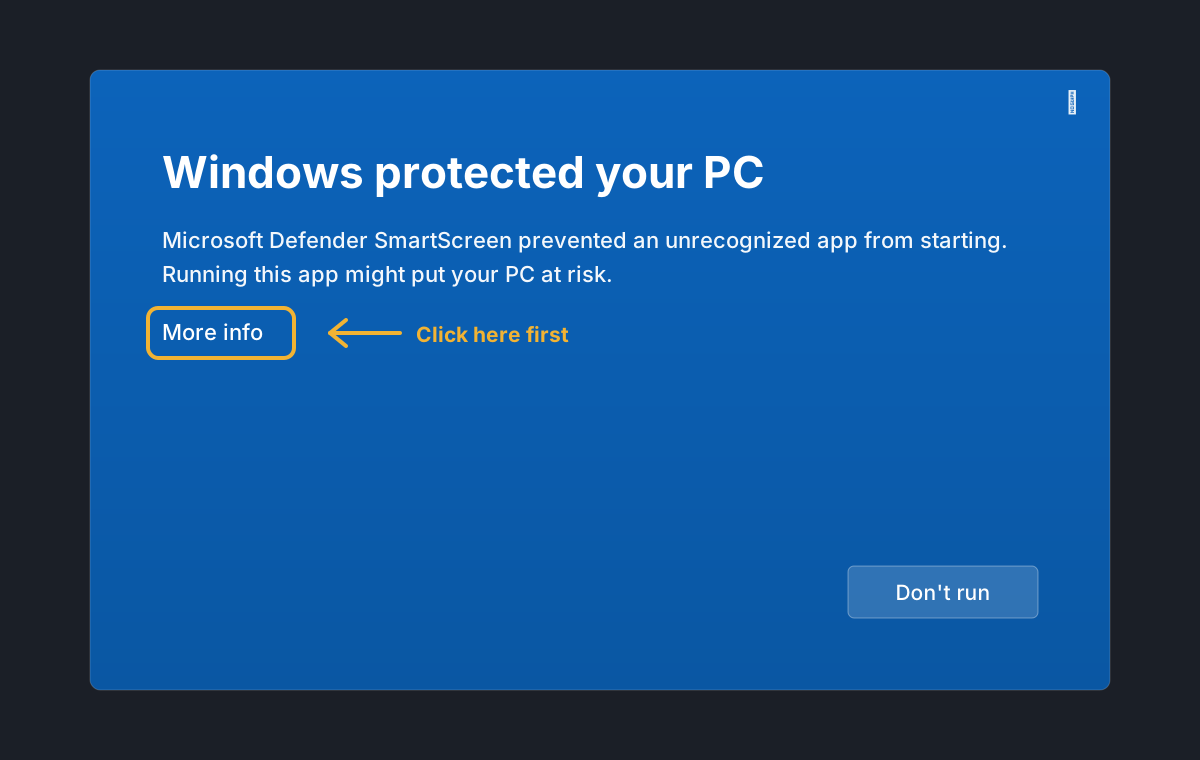
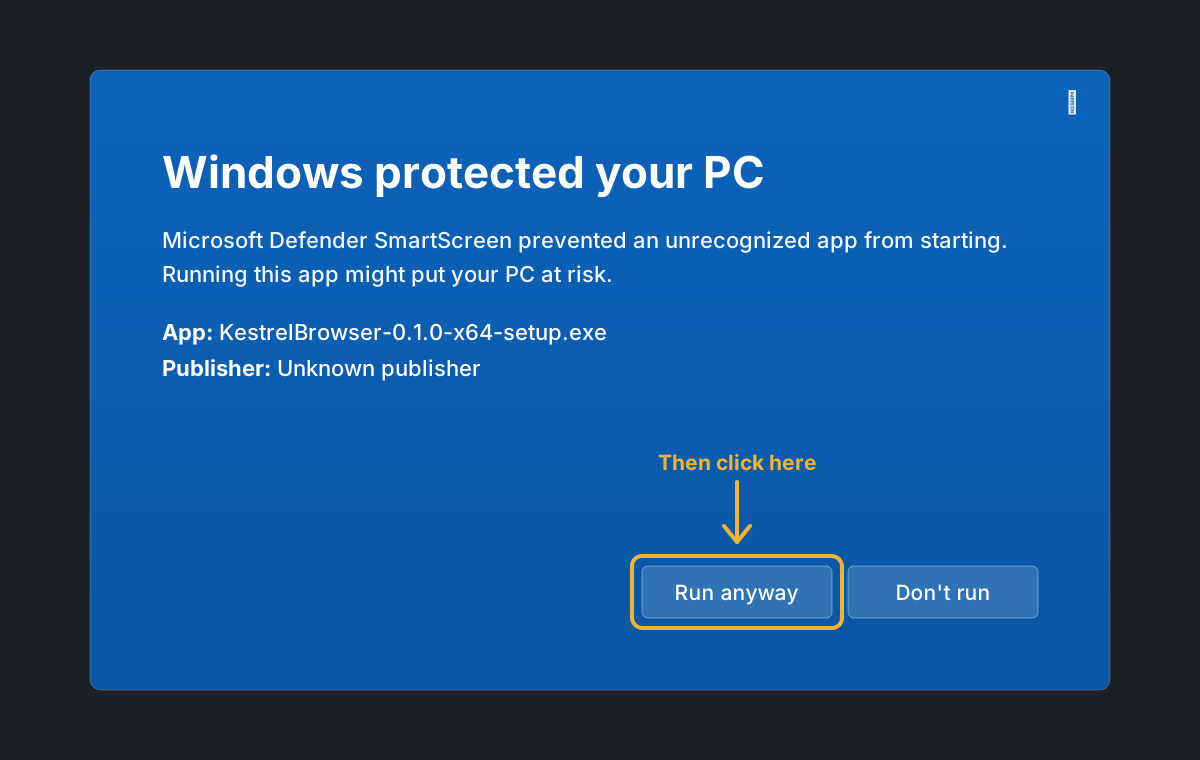
On Windows the installer is not signed yet, so a machine that has not seen it before shows a blue panel headed "Windows protected your PC". Choose More info, then Run anyway. It happens only the first time, and it stops for good once the installer carries a signature. If the browser asks whether to keep the download, keep it: in Chrome click the small arrow next to the download and choose Keep; in Edge open the ... menu on the download, choose Keep, then Keep anyway.
Kestrel Browser installs for your user account, no administrator password needed, and starts when the installer finishes. If you installed an earlier version, you do not need this page at all: the app you have offers the update by itself a few seconds after it opens, and installs it on one click.
A young product
The wallet is real and the money is real, but the software is young. Use amounts you can afford to lose, keep your recovery phrase on paper, and report anything strange to hello@kestrelbrowser.com or in the Telegram channel.