Trading
Trading happens in the rail's TRADE pane, or with one press on a Hover card. Kestrel routes through Jupiter, simulates every transaction before it is signed, and signs on the device.
In the pane
Buy or Sell, the token's address in "Token", the amount, the slippage, and how it is sent.
- A buy offers 0.05, 0.1, 0.25, 0.5 and 1 SOL or a number of your own, starting from Settings > Trade > "Default amount" (0.1 SOL). The pane says what the wallet holds and offers "Buy max", which leaves room for the fees.
- A sell offers 25, 50 and 100 percent of the holding or an amount.
- Slippage is 0.5, 1, 3 or 5 percent, from the Slippage setting (1 percent); above 10 percent Shield warns about sandwich bots, and above 50 percent Kestrel refuses to quote at all.
- A swap takes at most 50 SOL in.
The quote
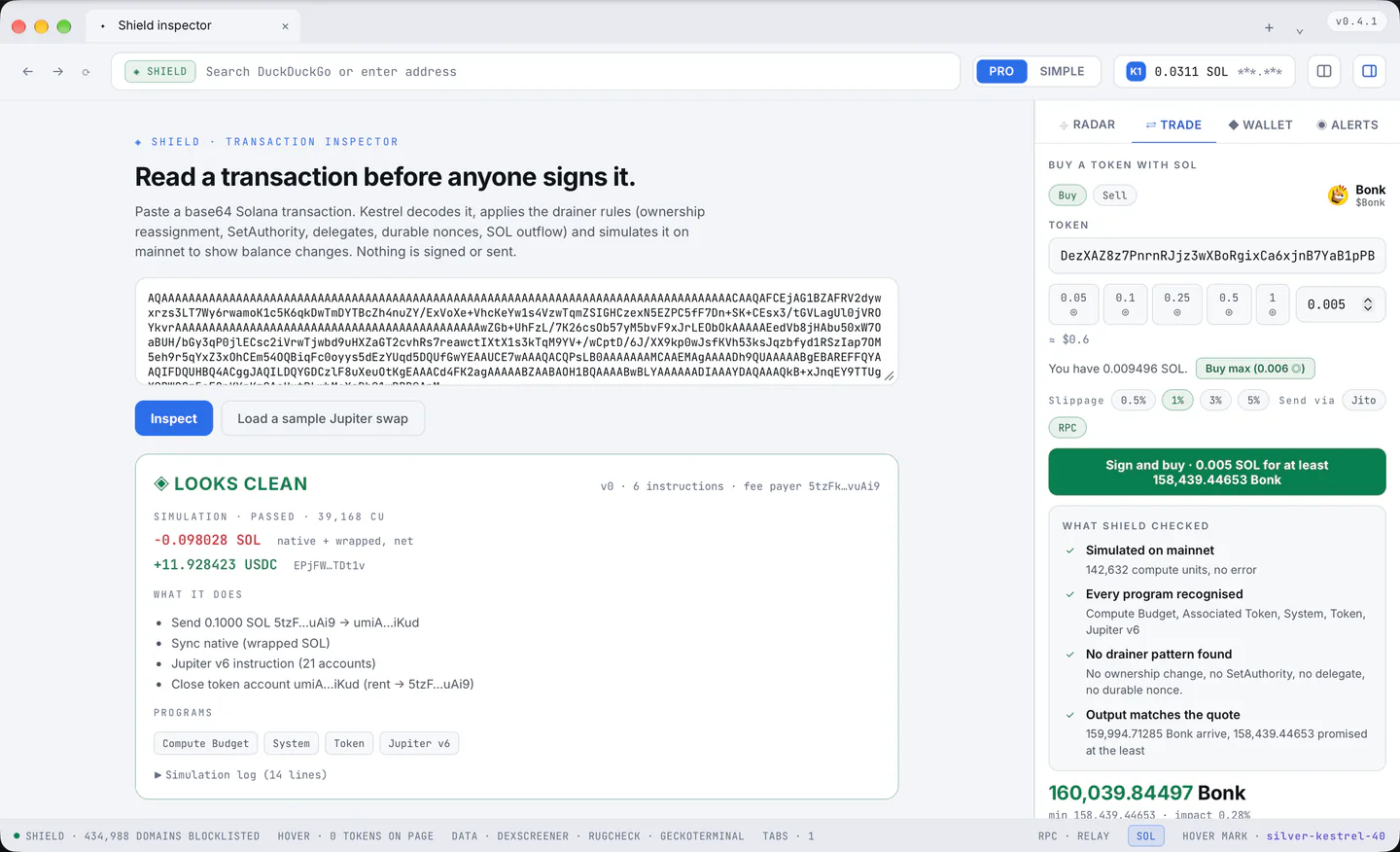
What you receive, the least you receive, the price impact, the token's name and safety score, the route, and the Kestrel fee as a percentage and an amount.
Above the quote, "what Shield checked": simulated on mainnet, every program recognised, no drainer pattern, the output matches the quote. A check that could not run says so instead of showing a tick. "details" opens the transaction line by line.
Signing
One button walks the steps:
- "Review this buy";
- "Reading and simulating";
- "Sign and buy · 0.1 SOL for at least N TOKEN";
- "Signing and sending";
- "Sent, confirming on chain";
- then "Bought" or "Not completed", with a link to Solscan.
The password is asked when the rule in section 6 says so. The native confirmation appears for a risky swap, for an overridden one, for 2 SOL or more, and when more than three signatures were asked for within a minute.
What Kestrel refuses
Bytes nobody quoted, critical Shield risk, a failed simulation, a spend above what the quote said plus a small fee budget, any other token leaving the wallet, an output below the quoted minimum, an expired quote, a locked wallet. High risk is the only state a person can override, with a checkbox that turns the button red.
Delivery
Through the RPC by default, with the same signed bytes re-broadcast for the first minute until the chain takes it, and confirmation watched for ninety seconds; if nothing lands the pane says so and nothing was spent.
A Jito bundle with a tip (0.0001 SOL by default, never above 0.01) is the other route, in Settings > Trade > "Send through". RPC is the default because a fixed tip bundle did not land in the real money test.
The fee
A plain SOL transfer to Kestrel appended to the swap: 0.25 percent on Free, nothing on Premium (section 8), taken from the SOL going in on a buy and from the SOL coming back on a sell. It is on the list of what the transaction does before you sign, to the last lamport. If the transfer would not fit in the transaction, the fee is dropped rather than the trade.
Under a quote the Trade pane says that holders of $KESTREL pay no Kestrel fee, with a link to the page that explains Premium.
From a Hover card
Three one press buys (0.1, 0.5 and 1 SOL by default, set in Settings; each capped at 1 SOL), "ALL" which buys with 95 percent of the SOL in the wallet and asks on the card itself when that is 2 SOL or more, and sells of 25, 50, 75 or 100 percent of the holding.
The amounts come from the wallet, never from the page. A press in the first 600 ms after the card appears is ignored, at most three trades in ten seconds are taken, and card trading is Solana only.
A trade the card cannot finish (a locked wallet, a Shield flag, the password rule, no holding) lands in the Trade pane with the reason and the quote.