Hover: the card for any token address
Hover is the card that opens where you read a token: price, safety and one press trading for any contract address, on any page, without leaving the page.
What Hover finds
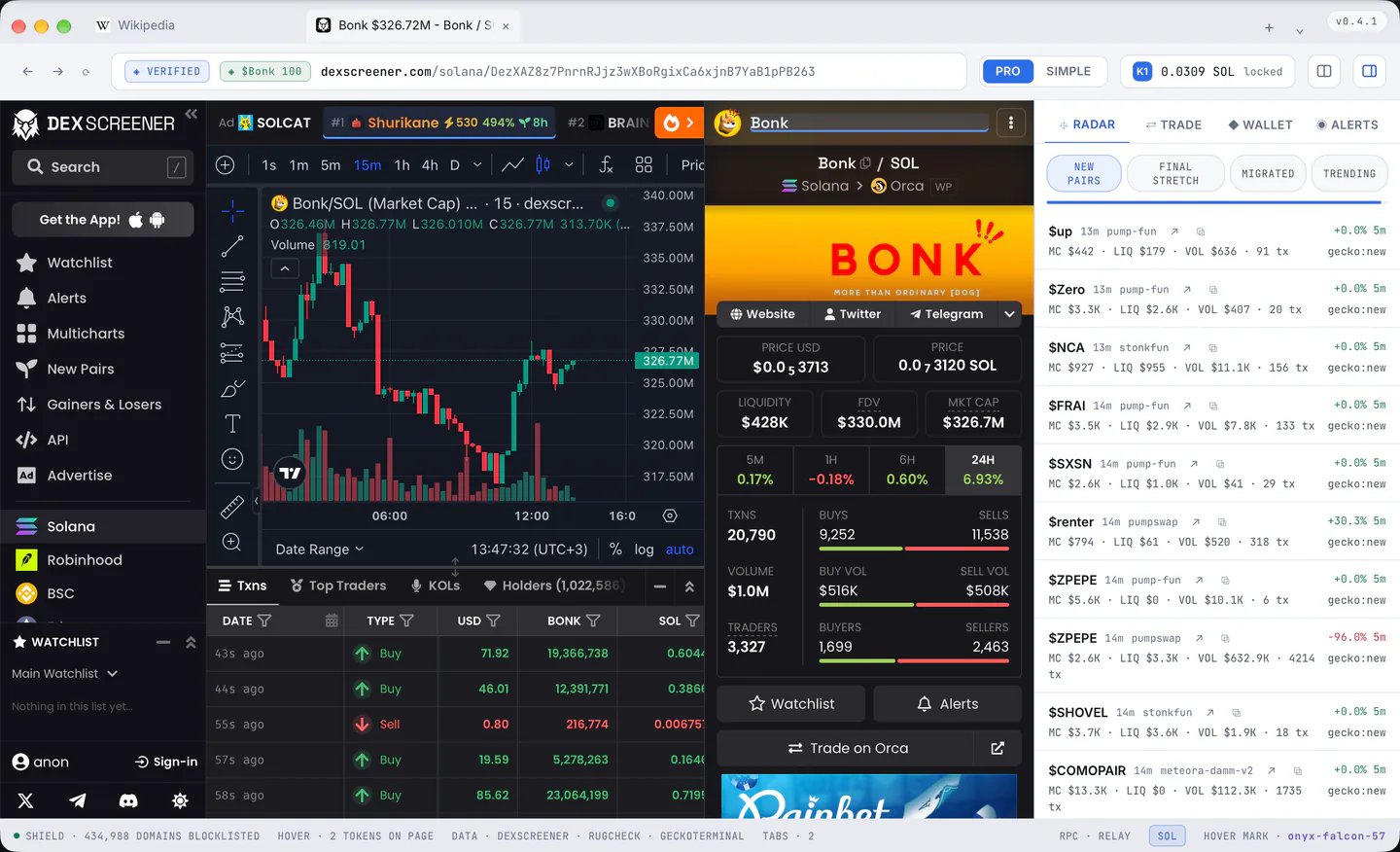
On any page, a Solana address written out (checked to be a real 32 byte address, not just the right shape) or an EVM address, and addresses inside links, however a site encodes them. On DexScreener, pump.fun, fomo.family and X it also reads the page's own token from the header, where no scan could see it.
Links to people (profiles, wallets, holders) are never treated as tokens.
A found address gets a faint blue underline, drawn over the page and never inside it, and only where the page really shows it, so nothing is marked under a chart or an image. A link too small to mark (a row with a tiny icon) hands the mark to the row's name, its ticker or its shortened address.
On X
Since 2026-09-22 a token shared the way X now offers it, the address pasted and turned into a $TICKER with a token card under the post, is found by the card and by the tag: the card's name and ticker carry one mark, the tag its own, and either opens the Kestrel card. A click on the mark opens it and keeps it; the rest of X's card still opens X's own token page.
That page, headed by the token's name, ticker, price and chart, is a token page to Hover too: the name, the ticker and the cut address in the header carry the mark, a press on the cut address copies the whole address, and the address bar's chip carries the card.
A plain $TICKER that X links to a search and nothing more names no address and gets no mark.
Opening the card
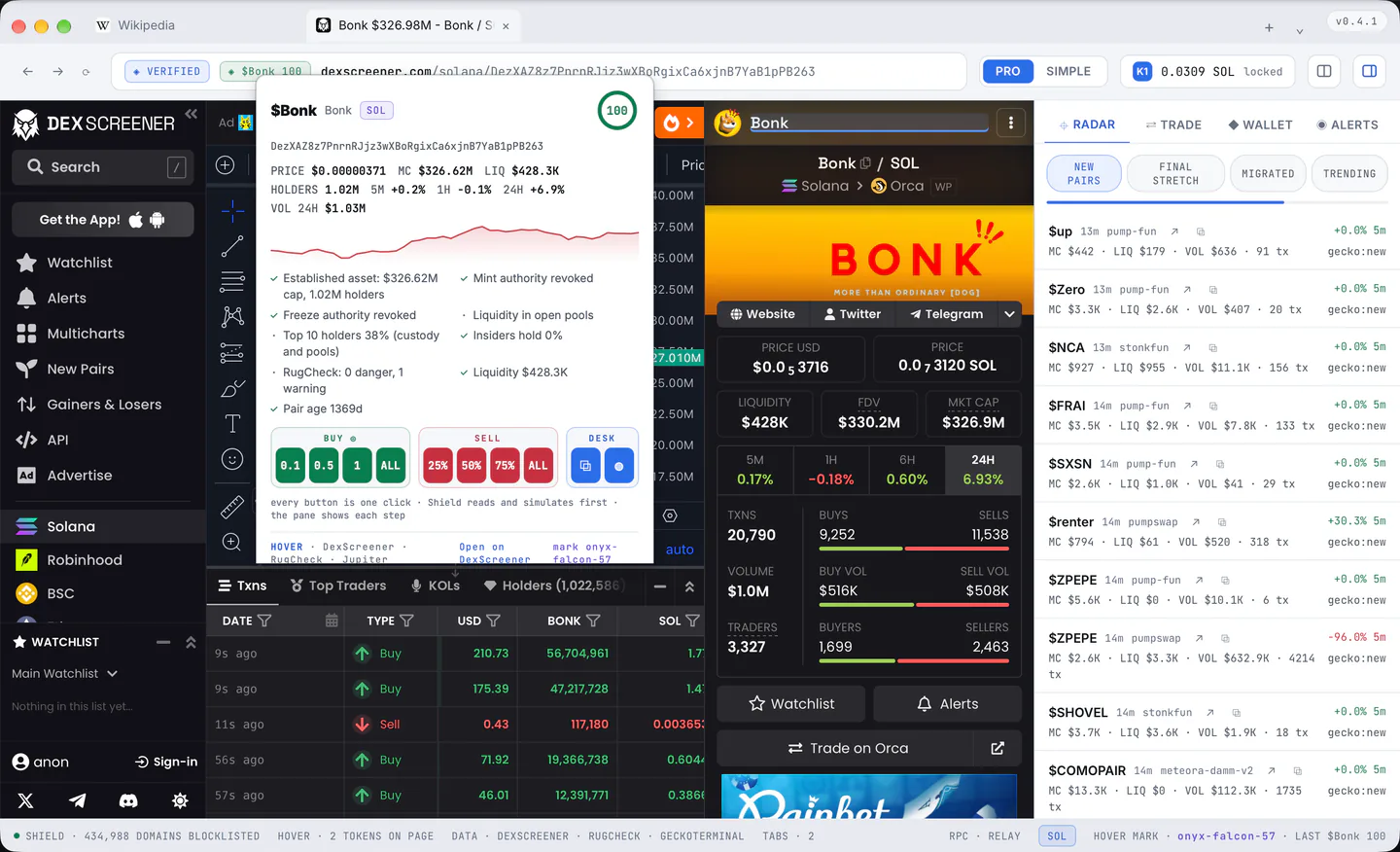
Rest the pointer on a mark for a moment (Settings > Hover can make it a click instead), or press the token chip beside the address bar, or paste an address into the address bar and take the first row. The card is a window of Kestrel's own above the page, and it opens beside the mark where there is room.
What the card says
- The symbol and name, the network chip, and a score ring from 0 to 100 (green from 70, amber from 40, red below).
- The full address (a press copies it).
- Price, market cap, liquidity, the holder count, the 5 minute, 1 hour and 24 hour changes and the 24 hour volume, and a small chart.
- The safety checks one by one, with a tick, a warning or a cross: mint authority, freeze authority, liquidity locked or burned, the top ten holders, insiders, what RugCheck found, the pair's age.
- The footer names the sources and carries the Hover mark, the same word the status bar shows: a card without it is not Kestrel's.
A token big enough to be established (a market cap of $50M or more, at least ten thousand holders, a pair older than half a year) has those facts stated rather than counted against it.
The card arrives in two steps: the market numbers first, then the safety report, the chart and the holder count a moment later.
The buttons
- Three one press buys, 0.1, 0.5 and 1 SOL by default (Settings > Hover).
- "ALL": 95 percent of the wallet's SOL, and at 2 SOL or more the card asks first in words.
- Sells of 25, 50, 75 or 100 percent of the holding.
- The desk button "⧉" (section 2).
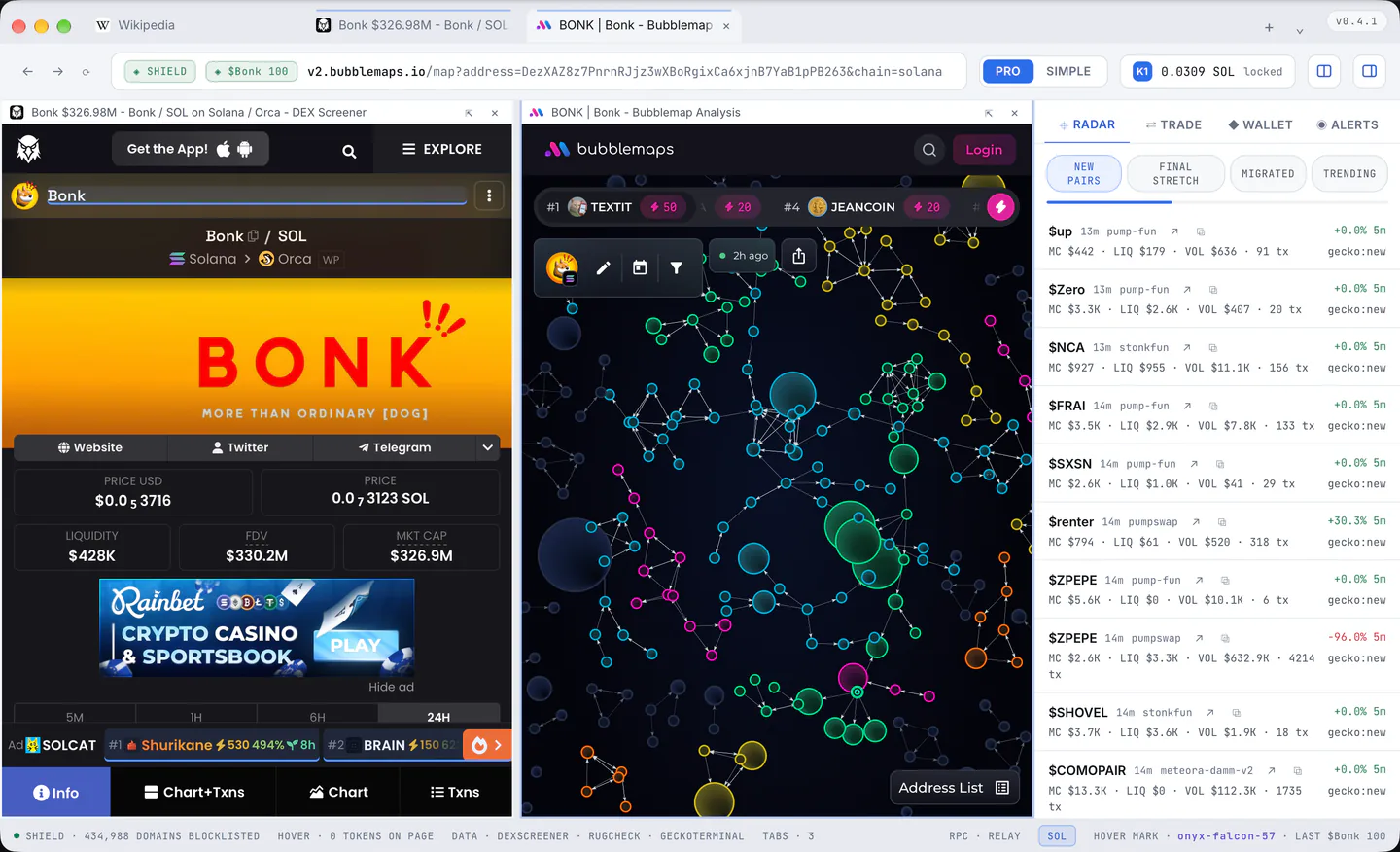
- The Bubblemap button "◍": who holds the token, as bubbles, the wallets that move together joined: Bubblemaps' own page for it, in a pane beside the page you are reading; shown for Solana and the other networks Bubblemaps maps.
- The DexScreener link.
The official token of Kestrel Browser wears the word OFFICIAL beside its symbol, and no other token can: the address is checked against the list Kestrel signs (section 8).
A press in the first 600 ms after the card appears or changes is ignored, so a card that arrives under a finger cannot be pressed by accident. What a press starts is in section 7.
Sending the card away
Escape, a press anywhere outside the card, or moving the pointer off the card and the mark; Kestrel keeps a corridor between the two so the card does not vanish while you move to it. A card opened from the chip, from the address bar or by a click stays until Escape, a press outside it, a navigation or the window moving.
Other networks
An EVM token gets its market numbers, the chart and the liquidity and age checks, and says "Fuller support for this network is coming soon": no score, no safety report and no trading yet. Its desk opens the chart and the talk, and the holders where Bubblemaps maps the network.
Settings that change Hover
Where it runs (all sites, only the sites you name, or off), sites to leave alone, whether the faint mark is drawn, hover or click to open, whether a chart is fetched, the three buy amounts, and the token chip beside the address bar. Most of them apply to a page after a reload. Every row: section 13.