The wallet
The wallet lives in the rail's WALLET pane and on this device only: the keys are created here, encrypted with the password and written to wallet.json in the profile folder (readable by your user account alone). No server of Kestrel's ever sees a key, a phrase or a password.
Making one
WALLET > "Create a wallet", a password twice, Create. Kestrel writes a twelve word English recovery phrase on the device and shows it once, numbered, under "RECOVERY PHRASE · SHOWN ONCE", with one button, "I wrote it down". There is no copy button and no file: it is written down by hand or not at all. The derivation is the one Phantom and Solflare use, so the phrase opens the same wallet there.
Bringing one in
WALLET > "Import a recovery phrase", twelve or twenty-four words in the box, a password twice, Import. The phrase is never echoed back.
The password
Eight characters at least, nothing else required. One wallet per device: a second create or import is refused, and resetting the settings never touches the keystore.
Unlocking and locking
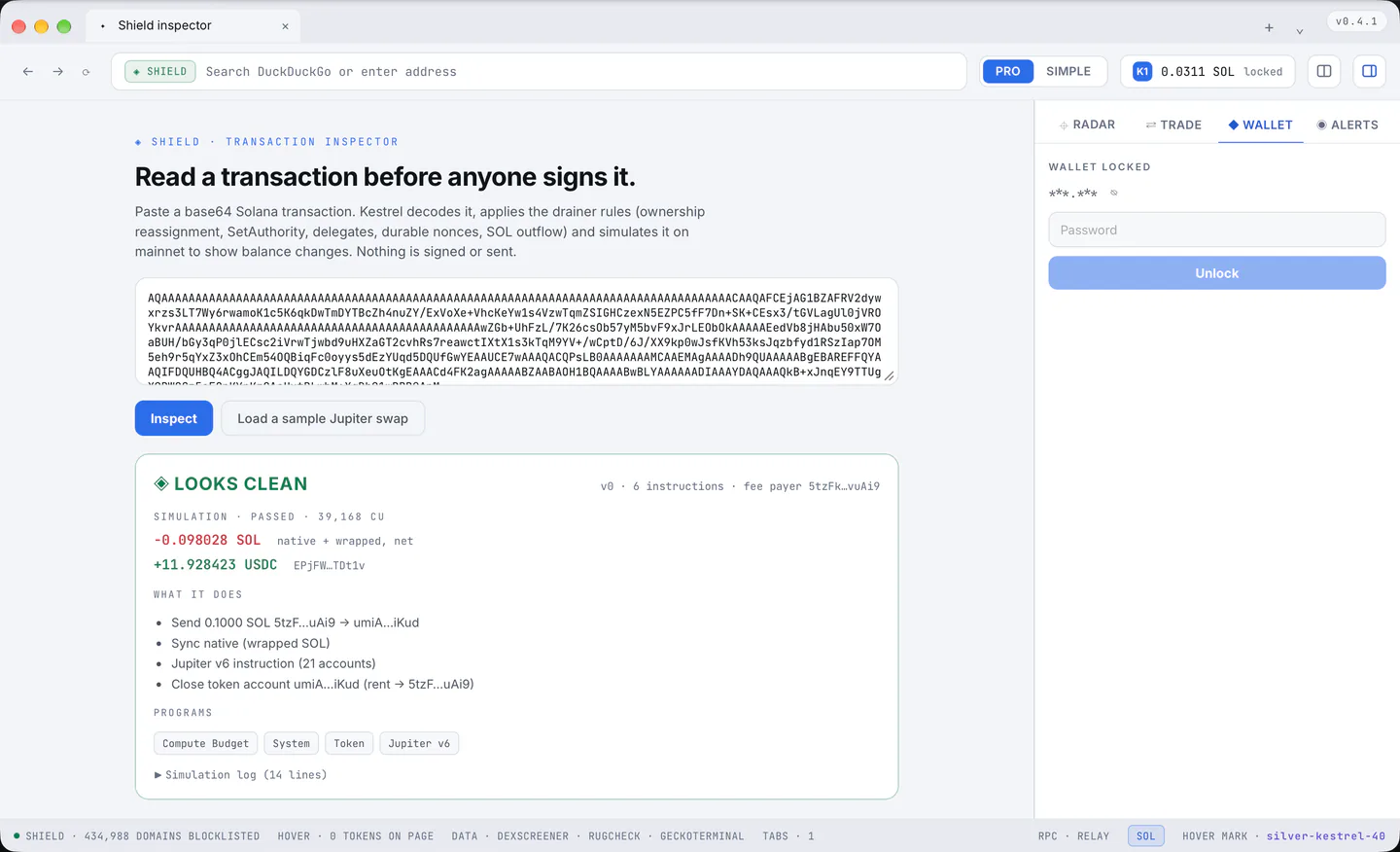
The locked pane shows the short address and a password field (Enter unlocks). "lock" in the same row locks it by hand.
Five wrong passwords are free; from the sixth the wait doubles from one second up to a minute, and the message says how long.
Kestrel locks itself after the idle time in Settings > Wallet > "Lock after" (5 minutes, 15 minutes, 1 hour, Never; 15 minutes by default), counted from the last thing the wallet did and checked every half minute.
Hiding the address
The wallet's address can be hidden for a shared screen or a recording, and one choice serves every place that shows it:
- a press on the address in the wallet chip beside PRO and SIMPLE (it reads
***.***until it is pressed again; the rest of the chip still opens the pane); - the small eye beside the address on the new tab page's wallet card, on the locked wallet's password screen and in the open pane.
Hidden means hidden everywhere at once, in the tooltips and in the Premium row of Settings too, and it stays hidden after a restart. "copy" still copies the address.
What the pane shows
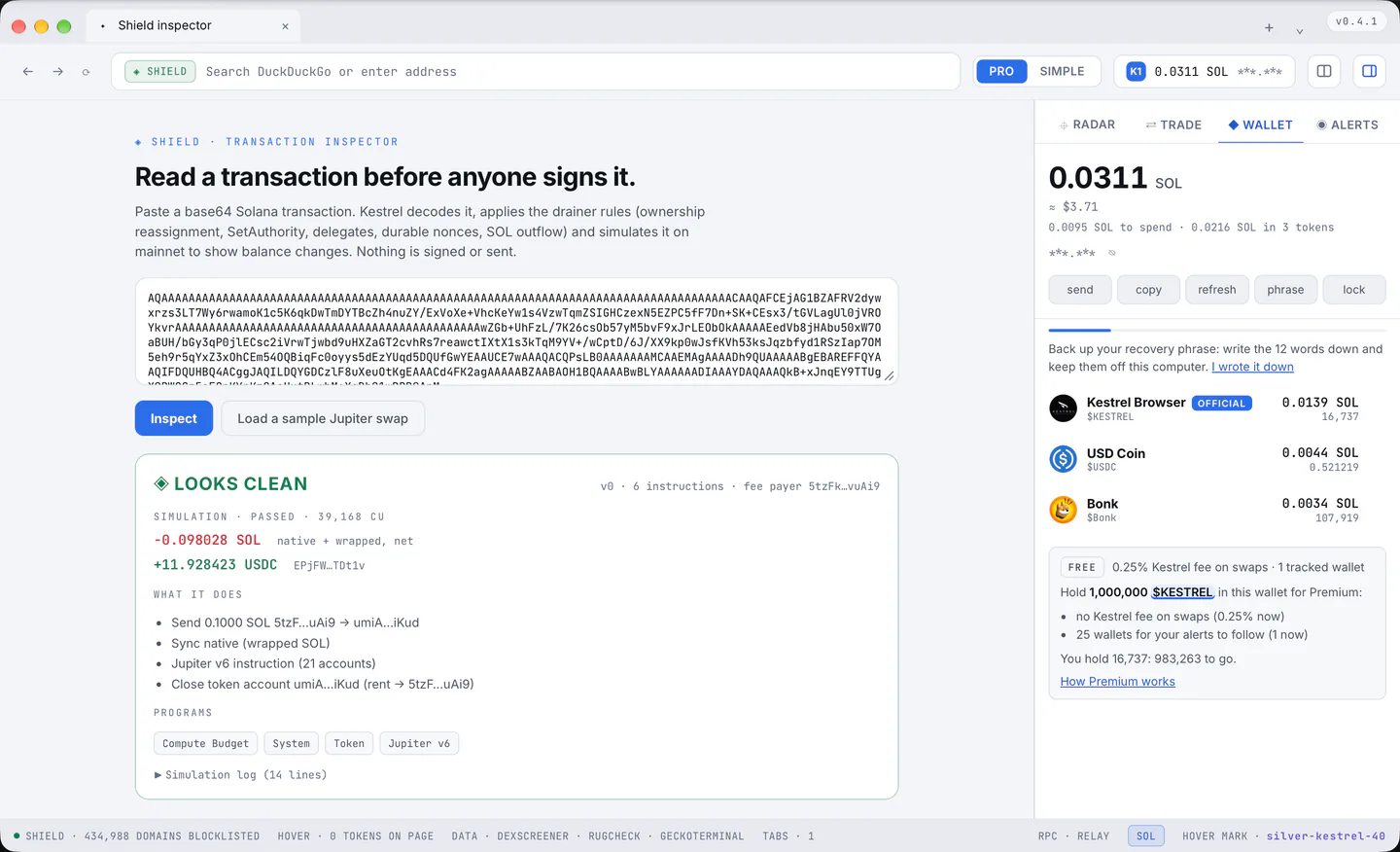
- At the top, everything the wallet holds as one number in SOL: the SOL itself plus every token at its price (2 SOL and 2 SOL worth of BONK read 4 SOL), with the dollar value under it and a line that splits it: "0.0208 SOL to spend · 0.0144 SOL in 3 tokens".
- The short address (the full one on hover) and a row of actions: send, copy, refresh, phrase, lock.
- The tier block under the last token: the tier's mark with the fee and the tracked wallet quota in force; below Premium, what holding 1,000,000 $KESTREL brings, how far it is, and the link to the Premium page. That $KESTREL is a Hover target of the chrome's own since 2026-09-22: resting on it opens the token's card beside it, with its one-click buy, the card goes when the pointer leaves, a click keeps it; the Premium page's official address and symbol do the same.
- A thin bar, the valuation clock, and the backup reminder until you confirm it.
- One row per token (the official $KESTREL wears OFFICIAL) with its logo, name and symbol, what it is worth in SOL, and the amount under that; the largest value comes first.
A value too small to write is written short: 0.0₅251 SOL is 0.00000251 (the small number counts the zeros after the point), so a row never grows a tail of zeros and never rounds a holding to nothing.
A token nobody prices (most airdrops) counts as nothing in the total and waits, with the empty accounts, behind one line, "Show 12 tokens without a price". A holding is never counted for more than the pool behind its price holds, so an airdrop with an invented price does not inflate the total.
A press on a token row opens the Trade pane ready to sell it.
How fresh it is
The thin bar is the valuation clock, like Radar's: full when the holdings were just valued, empty when the next valuation is due, every minute (prices come from Jupiter, the same service the swaps use).
Balances are read from the chain every two minutes, and at once after anything the wallet does itself: a swap sent, a swap confirmed, a transfer, an unlock, or "refresh". The toolbar chip, this pane and the new tab page's Wallet card show the same total at the same moment (hover the chip for its parts: the SOL to spend and the tokens). Money that arrives from outside is the one change Kestrel Browser cannot know about: it shows within two minutes.
Sending SOL
- "send", the destination and the amount, then "Preview".
- The preview shows what Shield read in the transaction, the simulation, whether the destination is one you have sent to before, and a warning when the address looks like address poisoning (its first four and last four characters match an address you know but the middle does not). A poisoning suspect is refused unless you tick the risk box. The limit is 100 SOL per transfer.
- The native window of the operating system asks, every time, with the lines of the transaction and what leaves the wallet: Sign or Cancel.
Whether the password is asked first is Settings > Wallet > "Ask for the password" (every send, sends above an amount, or only to unlock; the default asks above 1 SOL). The signature shown when it lands is the first characters of the real one.
Seeing the phrase again
"phrase", the password, Reveal. It is decrypted for that moment only and shares the wrong-password wait above.