Settings
Cmd+, (Ctrl+,), the menu's Settings, or "settings" typed in the address bar. Fourteen sections down the left, a search box that filters every row by its words, and an "Advanced settings" switch that reveals the rows marked Advanced (density, your own RPC, the priority fee, the send route, the pane minimum); those rows have nothing to do with a tier. A row that does not take effect at once says so beside its title: after a reload, at the next launch, after a restart. Every row, by section:
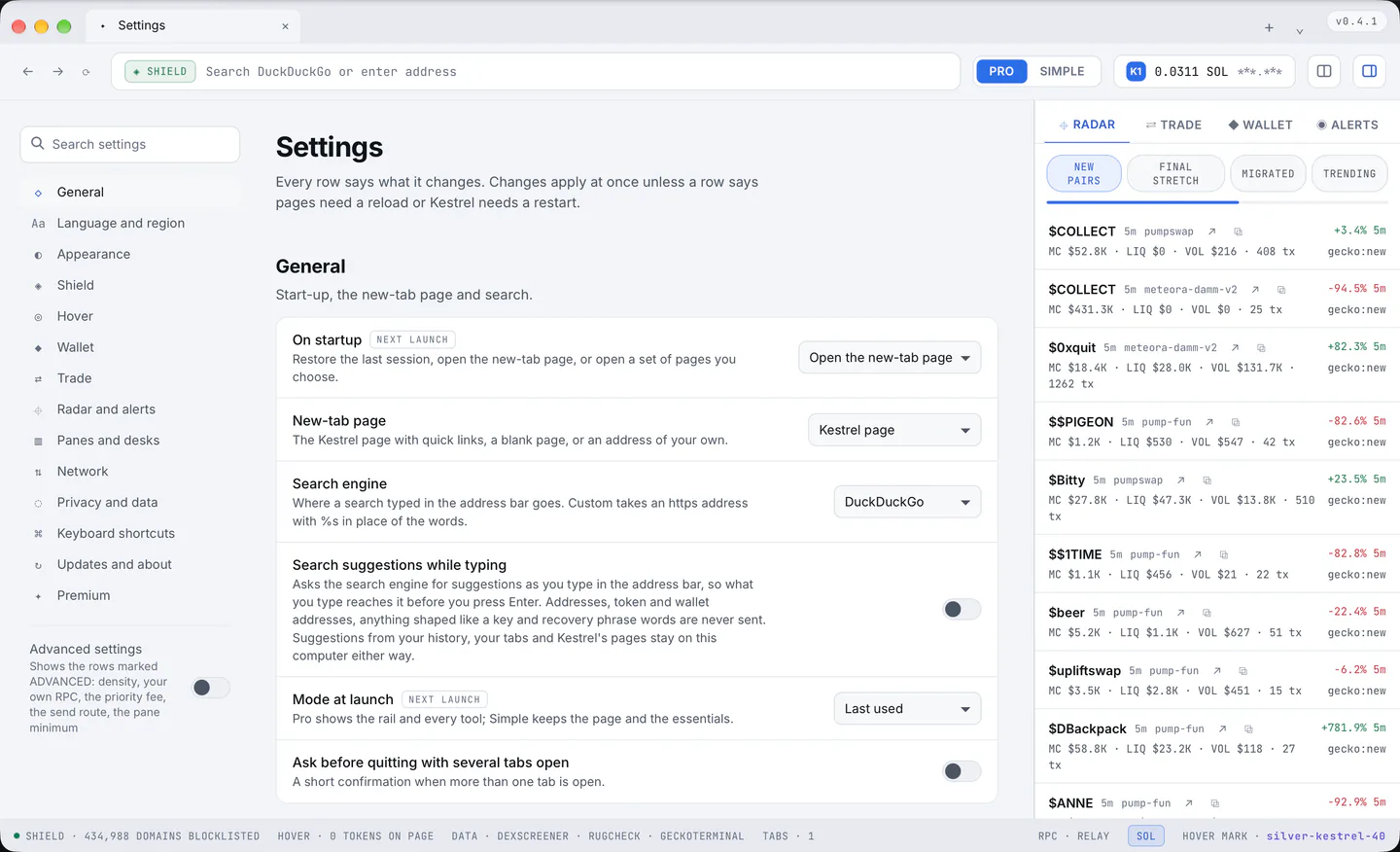
General
- On startup: Restore the last session (the default, up to twelve tabs with their panes and proportions), Open the new-tab page, or Open these pages, a list of addresses you keep. Next launch.
- New-tab page: the Kestrel page (the default), Blank (the mark alone, nothing asked of the network), or A page of your choice.
- Search engine: DuckDuckGo (the default), Brave Search, Google, Bing, Startpage, Ecosia, or Custom, an https address with
%swhere the words go. - Search suggestions while typing: off by default. On, the chosen engine is asked as you type; addresses, token and wallet addresses, anything shaped like a key and recovery phrase words are never sent, and a custom engine gets no suggestions.
- Mode at launch: Pro, Simple, or the last one used (the default). Next launch.
- Ask before quitting with several tabs open: on by default; a window of the system's own asks once.
Language and region
- Site language: what sites are told, and what they pick their language and their number and date formats from: follow the system (the default), English (United States), or one of twelve languages. After a restart.
- Time zone shown to sites: System (the default), Match the site language, or one of twelve zones; a page reads it after a reload.
- Kestrel's own language: English. More languages come later.
Appearance
- Theme: Light (the default) or Dark: the window, the rail, the Hover card and Kestrel's own pages; sites that offer both looks are told the same choice. At once.
- Default page zoom: 50 to 200 percent in steps of 10, 100 by default; every new page opens at that size.
- Show site icons in the tab strip: on by default, the site's own icon, fetched once and kept for a day; off shows the site's first letter.
- Open the rail at launch: on by default; the rail's width is remembered as you drag it.
- Status bar: on by default; Shield counts, Hover counts, the tab count and the RPC state along the bottom.
- Density (Advanced): Comfortable (the default) or Compact, which tightens the rail's lists and the tab strip.
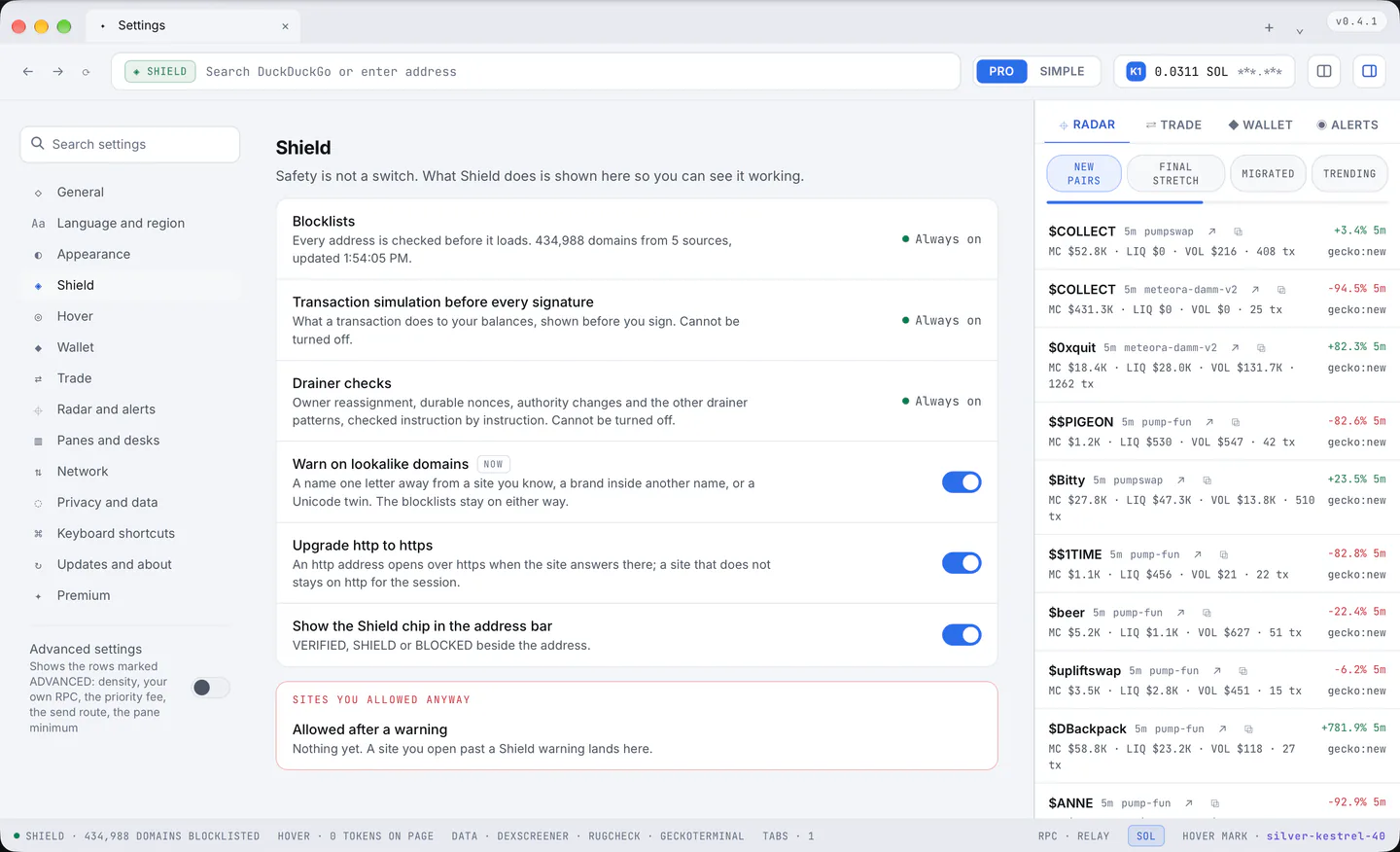
Shield
- Blocklists: always on; the row counts the domains, the sources and the last refresh.
- Transaction simulation before every signature: always on.
- Drainer checks: always on: owner reassignment, durable nonces, authority changes and the other drainer patterns, checked instruction by instruction.
- Warn on lookalike domains: on by default: a name one letter away from a site you know, a brand inside another name, or a Unicode twin; the blocklists stay on either way.
- Upgrade http to https: on by default; an http address opens over https when the site answers there, and a site that does not stays on http for the session.
- Show the Shield chip in the address bar: on by default; VERIFIED, SHIELD or BLOCKED beside the address.
- Allowed after a warning: the sites you opened past a Shield warning, each with a "×" to be warned again, and "Forget all".
Hover
- Hover runs on: All sites (the default), Only the sites you list, or Off. After a reload.
- Never on these sites: a list of sites whose addresses are left alone. After a reload.
- Highlight addresses on pages: on by default, the faint mark under every address Hover found; off keeps the card without the mark. After a reload.
- Open the card on: Hovering an address (the default) or Clicking it. After a reload.
- Charts on the card: on by default; off saves data on slow connections.
- Quick buy amounts: the three buttons on a Solana card, in SOL, 0.01 to 1 each; 0.1, 0.5 and 1 by default. After a reload.
- Address bar chip on token pages: on by default; the token's score beside the address when the page itself is a token page.
Wallet
- Lock after: 5 minutes, 15 minutes (the default), 1 hour, or Never.
- Ask for the password: Every send, Sends above an amount (the default, 1 SOL, and the amount is yours to set), or Only to unlock.
- Show balances in: SOL with the dollar value (the default), or SOL alone.
- Hide tokens with a zero balance: on by default; empty token accounts stay out of the list.
- Solana RPC (Advanced): the Kestrel relay (the default; it keeps your address out of the request), or a URL of your own, which goes straight to that provider, with a Test button.
- Remind me to back up the recovery phrase: on by default; a line in the Wallet pane until you confirm the words are written down.
Trade
- Default amount: what a new trade starts with, 0.01 to 100 SOL; 0.1 by default.
- Slippage: how far the price may move before the trade is refused, 0.1 to 50 percent; 1 by default.
- Priority fee (Advanced): Automatic (the default, a small fixed tip) or a fixed amount paid on every trade, up to 0.01 SOL.
- Send through (Advanced): the RPC (the default), or a Jito bundle with a tip, which protects against sandwiching.
- Confirm every trade before it is signed: always on: the quote, the simulation and the totals, then the signature.
- Quotes refresh every: 0 to 60 seconds; 0 (the default) keeps a shown quote until you ask again.
Radar and alerts
- Columns: New pairs, Final stretch, Migrated and Trending, each on or off; all on by default.
- Refresh every: 10 to 300 seconds in steps of 5, 45 by default; the feeds come through the Kestrel relay, so a short interval costs you nothing extra.
- Hide pairs under this liquidity: a floor in dollars for every column; 0, which is off, by default.
- Desktop notifications: which alerts become system notifications: Tracked wallets and Trades on by default, New pairs and Shield blocks off.
- Sound: off by default; a short tone with each alert.
- Quiet hours: off by default; 22:00 to 08:00 unless you change the times; no notifications and no sound between them.
Panes and desks
- Remember the proportions you give panes: on by default; the widths you drag come back for the next split with the same count.
- Minimum pane width (Advanced): 240 to 400 px in steps of 8, 272 by default; below it panes go into rows instead of getting narrower.
- A desk opens: Chart (DexScreener), Safety (RugCheck), Holders (Bubblemaps), Trade (the rail's panel with the address filled in) and Talk (X), each on or off; all on by default.
- Start with: The last panes (the default), One page, or A saved layout, chosen from your list. Next launch.
- Saved layouts: "Open Layouts" opens the Layouts page, where they are renamed, opened or removed.
Network
- Proxy for pages: the system proxy (the default), or one you enter, http or socks5 with host and port and the credentials in the address, with a Test that says where it comes out. Pages, their images and scripts go through it; the wallet's RPC calls, Kestrel's own data and updates do not, and the address stays in your profile. After a restart.
Privacy and data
- Send anonymous usage counts: on by default, the same switch as the menu's Send Anonymous Statistics, with "See what would be sent", which opens the report page. What it carries: section 15.
- Cookies: keep them until they expire (the default), or clear them every time Kestrel quits.
- Block third-party cookies: on by default; cookies from domains you never open directly are removed, and your logins on the sites you visit are kept.
- Site permissions: Camera, Microphone, Location, Notifications and Clipboard read, each Ask (the default) or Deny; "Forget my answers" clears the answers given this run.
- History: kept for 7 days, 30 days, 90 days (the default), for ever, or never; "Open history" opens the History page.
- Save downloads to: the folder shown (the Downloads folder by default), "Choose…" to pick another, "Use Downloads" to go back, "Open downloads" for the list.
- Clear cookies, site data and the cache: "Clear" signs you out of every site, and takes the history too when its box is ticked; pages you have open keep running until they reload.
Keyboard shortcuts
- One row per action of section 14, with the key chip to press and rebind, "↺" on a changed row, and "Reset all shortcuts".
Updates and about
- Update automatically: on by default: checked every hour, a new version gets ready in the background and asks for one restart; "Check now" asks at once. Off: nothing is checked until you press Check now, and installing waits for your word. Section 16.
- This build: the version, the channel, the system and the install id, with "Copy details".
- User guide: "Open" opens this guide, kestrelbrowser.com/docs, in a tab (in the version after v0.4.1).
- Welcome tour: "Open" shows the three things to know again.
- Report a problem: "Open" opens the report page; nothing is sent on its own.
- Export or import settings: "Copy" puts these rows on the clipboard as JSON and "Paste" takes them back; the wallet is never part of it.
- Reset all settings: a second press within six seconds puts every setting back; the wallet, the saved layouts and Shield's own lists stay.
Premium
- Your tier: the tier with its reason, the wallet it was read from and when it was last checked.
- Kestrel fee on swaps: the rate in force, with every plan's rate beside it.
- Wallets your alerts follow: the quota in force, with every plan's quota beside it.
- How Premium works: "Open the page" opens the Premium page (section 8).
- Shield is never gated: one line, always.